HTTP Server API
ScoreSight includes a small web server that always serves the latest readings. Browser sources, web overlays, scripts and other software can poll it. Nothing needs to be enabled: the server starts automatically with ScoreSight.
On this page
Basics
| Base URL (same computer) | http://localhost:18099 or http://127.0.0.1:18099 |
| Base URL (other computers) | http://<ip-of-the-scoresight-computer>:18099. The status bar at the bottom of the ScoreSight window shows this address, with a Copy button |
| Port | 18099 by default. Change it with the --port command-line option |
| Network interfaces | All IPv4 interfaces (the server binds 0.0.0.0), so devices on your network can reach it |
| Authentication | None. The API is read-only |
| CORS | Any origin may read the data with GET (no credentials), so web pages served from anywhere can fetch() it. ScoreSight also answers Chromium’s Private Network Access preflight, so a page on a public site may read a ScoreSight on your local network |
| Caching | Every response says not to cache it (Cache-Control: no-cache, no-store, must-revalidate, Pragma: no-cache, Expires: 0), so programs that poll it always get the latest values |
| Update rate | Follows Detections / s. Every request returns the most recent readings |
| Text encoding | UTF-8 |
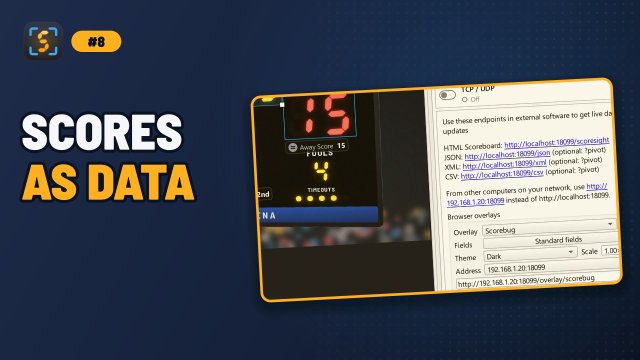
Select HTTP server in the Outputs list (or click HTTP in the status bar) to see the endpoints as clickable links, using the port the server is running on, and the address to use from other computers on your network. (In ScoreSight 0.1.x this was the Browser tab.) Under them, Browser overlays builds the address of an overlay to copy into a browser source.
The HTTP server row of the Outputs list has no on/off switch (the server is always on). It shows whether the server is running and whether anything reads it:
- ● http://192.168.1.20:18099 · 3 clients: the address on your network, and how many computers (or programs) requested something in the last 10 seconds. The time next to it is when the last request came. no requests yet means nothing has read it since ScoreSight started.
- ■ Not running: port 18099 is in use: another program, or another ScoreSight, uses the port (see Troubleshooting).
The server listens on IPv4 only. Browsers and curl handle localhost fine, but a few tools try the IPv6 address ::1 first and then fail or stall, for example PowerShell’s Invoke-WebRequest. Use http://127.0.0.1:18099 with such tools.
Anyone who can reach the port can read your scoreboard data. On untrusted networks, block port 18099 in your firewall (see SECURITY.md).
Endpoints
| Method & path | Returns | Content type |
|---|---|---|
GET /json |
Every box with its text, state and position | application/json |
GET /json?pivot |
A simple {"Box Name": "value"} object with good values only |
application/json |
GET /json?pivot&all |
The same object with every box, each with its last good value | application/json |
GET /json?array (or /json?pivot&array) |
[{"Box Name": "value", ...}]: the ?pivot&all object in an array, for readers of rows such as vMix Data Sources |
application/json |
GET /xml |
Every box as a <result> element with attributes |
text/xml; charset=utf-8 |
GET /xml?pivot |
One element per box with good values only | text/xml; charset=utf-8 |
GET /xml?pivot&all |
One element per box, every box with its last good value | text/xml; charset=utf-8 |
GET /csv |
Every box as a CSV row with its position | text/csv; charset=utf-8 |
GET /csv?pivot |
A header row of box names and one row of good values | text/csv; charset=utf-8 |
GET /csv?pivot&all |
A header row of every box name and one row of their last good values | text/csv; charset=utf-8 |
GET /game, GET /game?since=<id> |
The game (with a sport chosen): scores, clock, period, fouls, timeouts, the points of each period and the event log | application/json |
GET /scoresight |
A ready-made demo scoreboard page | text/html |
GET /overlay, /overlay/scorebug, /overlay/lower-third, /overlay/clock, /overlay/field, /overlay/custom/... |
Transparent browser overlays that update live, and your own overlay pages | text/html |
GET /events, GET /overlay/state |
The overlays’ live values: Server-Sent Events pushed on each change, or a JSON snapshot | text/event-stream, application/json |
GET /overlay/client.js |
The overlay client that fills data-field elements |
text/javascript |
GET /docs, GET /redoc, GET /openapi.json |
Interactive API documentation generated by the server | HTML / JSON |
Before the first reading (for example while no source is open), the data endpoints return empty results.
The /shutdown endpoint of ScoreSight 0.1.x and older is gone. It let any device on the network close ScoreSight, and it caused hangs when quitting on macOS. ScoreSight 0.2.0 stops its server internally. /csv?pivot is new in 0.2.0, and /csv now returns the box positions as numbers.
States
Each reading has a state (in XML, result_state):
| State | Meaning |
|---|---|
Success |
A new value was read |
SameNoChange |
The same value as the box’s last good reading: with Update on change on, for a box whose OCR was skipped by Skip OCR while image is unchanged, and for a template field whose text didn’t change (see Outputs) |
FailedFilter |
Something was read but rejected by the box’s Format or confidence threshold. The text may be garbage |
Empty |
Nothing was read |
For display, use readings in the Success or SameNoChange state. The ?pivot variants already do this for you.
GET /json
[
  {
    "name": "Home Score",
    "text": "65",
    "state": "SameNoChange",
    "rect": {"x": 525.9, "y": 638.4, "width": 214.6, "height": 175.3}
  },
  {
    "name": "Time",
    "text": "4:27",
    "state": "Success",
    "rect": {"x": 843.6, "y": 663.0, "width": 359.1, "height": 207.2}
  }
]
rect is the box position in pixels on the processed picture (after rotation, crop and 4-corner correction).
GET /json?pivot
{"Home Score": "65", "Away Score": "39", "Time": "4:27", "Period": "2nd"}
Only boxes whose latest reading is Success or SameNoChange are included. A box whose latest reading was rejected or empty is missing from the object, so your page should keep showing the previous value in that case, or use ?pivot&all.
?pivot&all: every box, with its last good value
Add &all to any ?pivot URL (/json?pivot&all, /xml?pivot&all, /csv?pivot&all) to get every box, each with its last good value (Success or SameNoChange), and an empty value for a box that has had no good reading yet:
{"Home Score": "65", "Away Score": "39", "Time": "4:27", "Period": ""}
The keys (and in CSV, the columns) are then always the same, whatever the latest readings. Use it for programs that bind to a column or a key and blank the field (or lose the column) when it’s missing: vMix Data Sources, Ross XPression DataLinq, SuiteCG, NewBlue Captivate’s data readers, Chyron PRIME Data objects and the like. A box you delete is gone from the next answer.
GET /json?array
[{"Home Score": "65", "Away Score": "39", "Time": "4:27", "Period": ""}]
The ?pivot&all object in an array of one row. vMix JSON Data Sources (and other readers of rows) need an array of objects; they can’t read the single object of /json?pivot. /json?pivot&array is the same.
GET /xml
<data>
  <result name="Home Score" result="65" result_state="SameNoChange" x="525.9" y="638.4" width="214.6" height="175.3" />
  <result name="Time" result="4:27" result_state="Success" x="843.6" y="663.0" width="359.1" height="207.2" />
</data>
The XML is sent as UTF-8 without an XML declaration, on a single line (indented here for readability). Text is escaped, so values such as < or & always produce valid XML, and control characters that XML can’t contain are removed.
GET /xml?pivot
<data>
  <HomeScore>65</HomeScore>
  <AwayScore>39</AwayScore>
  <Time>4:27</Time>
</data>
Only Success and SameNoChange readings are included. Element names are built from the box names:
- Each word is capitalized and the spaces are removed: Home Score becomes
HomeScore, Shot Clock becomesShotClock. - Characters that aren’t allowed in XML names are dropped: Score (H) becomes
ScoreH, Home/Away becomesHomeAway. - If the result doesn’t start with a letter or
_, a_is added in front: 1st Half becomes_1StHalf.
So every box name produces valid XML. For predictable element names, name custom fields with letters, digits and spaces, starting with a letter.
GET /csv
Name,Text,X,Y,Width,Height
Home Score,65,525.9,638.4,214.6,175.3
Time,4:27,843.6,663.0,359.1,207.2
One row per box with its latest text, whatever its state, and the box position in pixels. Values that contain commas or quotes are quoted.
GET /csv?pivot
Home Score,Away Score,Time
65,39,4:27
A header row with the names of the boxes that have a good (Success or SameNoChange) reading, and one row with their values. When no box has a good reading, the response contains two empty lines. For tools that read a one-row CSV and bind by column, such as vMix Data Sources, Ross XPression DataLinq or spreadsheets, use /csv?pivot&all: its columns never change (see above).
GET /game
With a sport chosen: the game as ScoreSight follows it, as JSON. It has the scores, the clock (and whether it runs), the period, fouls and timeouts, the points of each period, and the game’s event log (each score, period start and end, clock start and stop, final). /game?since=<id> returns only the events after that event id, for polling. See The game over HTTP for the format. Without a sport, sport is "none" and the rest is empty.
GET /scoresight
A simple demo scoreboard (home and away scores, fouls and the clock) that refreshes every 100 ms. Open it in a browser or an OBS Browser Source, on the ScoreSight computer (http://localhost:18099/scoresight) or on another one (http://<scoresight-ip>:18099/scoresight). It works with any --port. It is a quick test. For graphics on air, use the browser overlays: transparent, configurable, pushed live instead of polled, and with a client for your own HTML.
Examples
Command line
curl http://localhost:18099/json?pivot
Custom HTML overlay (OBS Browser Source, vMix Web Browser input)
The browser overlays make this simpler: put your page in the overlays folder, load /overlay/client.js and mark elements with data-field="Home Score"; ScoreSight pushes each change. The polling example below works with any page.
Save this as scoreboard.html, adjust the field names, and add it as a local file in an OBS Browser Source. Replace localhost with the IP address of the ScoreSight computer if the overlay runs elsewhere.
<!DOCTYPE html>
<html lang="en">
<head>
<meta charset="UTF-8">
<title>Scoreboard</title>
<style>
  body { margin: 0; font-family: Arial, sans-serif; color: white; background: transparent; }
  .board { display: flex; gap: 24px; align-items: center; font-size: 48px; }
  .clock { font-size: 64px; font-weight: bold; }
</style>
</head>
<body>
<div class="board">
  <span id="home">0</span>
  <span class="clock" id="time">00:00</span>
  <span id="away">0</span>
  <span id="period"></span>
</div>
<script>
  const SCORESIGHT = "http://localhost:18099";
  const fields = { home: "Home Score", away: "Away Score", time: "Time", period: "Period" };

  async function update() {
    try {
      const data = await (await fetch(`${SCORESIGHT}/json?pivot`)).json();
      for (const [id, name] of Object.entries(fields)) {
        // keep the previous value if this field has no good reading right now
        if (data[name] !== undefined) document.getElementById(id).textContent = data[name];
      }
    } catch (e) {
      console.error("ScoreSight not reachable", e);
    }
  }
  setInterval(update, 200);
  update();
</script>
</body>
</html>
Python
import time
import requests

while True:
    data = requests.get("http://127.0.0.1:18099/json?pivot", timeout=2).json()
    print(data.get("Home Score"), "-", data.get("Away Score"), data.get("Time"))
    time.sleep(1)
Home Assistant (REST sensor)
sensor:
  - platform: rest
    name: Game clock
    resource: http://192.168.1.20:18099/json?pivot
    value_template: "{{ value_json['Time'] }}"
    scan_interval: 1
Troubleshooting
- Nothing at
localhost:18099: if the HTTP server row of the Outputs list (and HTTP in the status bar) shows ■ Not running: port 18099 is in use, another ScoreSight instance or another program is using the port, and this instance runs without its HTTP server (the log saysHTTP server: port 18099 is already in use or not available). Start ScoreSight with a different--port. - Your page or software doesn’t update: if the HTTP server row says no requests yet, or its time keeps growing, your page isn’t reaching this ScoreSight: check the address and port it uses.
- Works in the browser but not in a script or PowerShell: use
127.0.0.1instead oflocalhost(see the note under Basics). - Works locally but not from another computer: allow ScoreSight (or the port) in the firewall of the ScoreSight computer, and use its IP address rather than
localhost. - Values stop changing: check whether the outputs are paused (an orange banner over the picture and PAUSED in the status bar), and whether the readings are yellow or red in the viewer.
- Seeing each request in the log: requests are logged only when ScoreSight runs with
SCORESIGHT_DEBUGset (see Environment variables).