CasparCG
Works, untested. ScoreSight talks to CasparCG Server over AMCP: it loads a template and updates it with every change, using the CasparCG preset of the TCP / UDP output. ScoreSight comes with a ready-made HTML scorebug template. Or play one of ScoreSight’s browser overlays with CasparCG’s HTML producer.
On this page
Template over AMCP (TCP / UDP output)
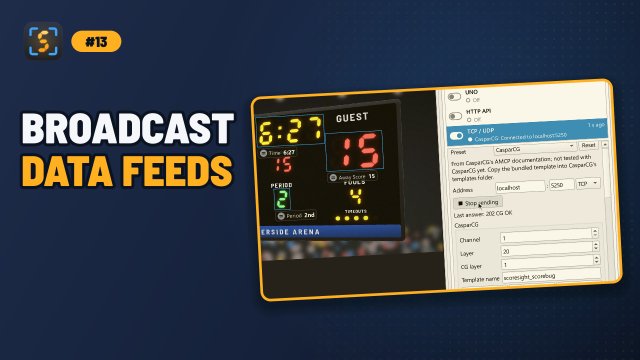
- In ScoreSight, select TCP / UDP in the Outputs list and pick CasparCG in Preset.
- Click Copy template… and choose CasparCG’s templates folder (the
<template-path>incasparcg.config; the AMCP commandINFO PATHSshows it). This copiesscoresight_scorebug.htmlthere. - Enter the CasparCG server’s address. The port is 5250, CasparCG’s AMCP port in its default configuration. Change the Channel, Layer and CG layer (1, 20 and 1) if you need to.
- Click Start sending. ScoreSight sends
CG 1-20 ADD 1 "scoresight_scorebug" 1 "<data>", which loads and plays the template, thenCG 1-20 UPDATE 1 "<data>"with every change.
Load, Play and Stop on the TCP / UDP page send CG ADD, CG PLAY and CG STOP while the output runs. The bundled template shows the scores, the clock, the period, the shot clock and the fouls; edit its CSS to change the look, or use your own template with the same CG ADD. The TCP / UDP page has the data format (templateData XML or JSON), the field names the template recognizes and CasparCG’s answers.
Browser overlay with the HTML producer
From the CasparCG client, or a telnet session to port 5250:
PLAY 1-20 [HTML] "http://192.168.1.20:18099/overlay/scorebug"
STOP 1-20 or CLEAR 1-20 takes it off. The page sets its own values, so it doesn’t use CasparCG’s template data. Get the address from ScoreSight’s HTTP server page (Browser overlays > Copy).
CasparCG renders HTML with an embedded Chromium (CEF; CasparCG 2.5 has CEF 142, the 2.3 LTS line a much older one). Frames have an alpha channel, so a transparent page keys over video; this hasn’t been tested on a real server. For your own HTML template that reads ScoreSight, see Overlays hosted elsewhere.